
TV Stand: How to Choose the Right Size, Style and Storage
A TV stand does more than hold up your screen. It decides how your living room looks, where your cables go and how safe your TV is on a busy day with kids or pets around. Pick one that’s too small and the TV hangs over the edges. Pick one that’s too weak and you risk a wobbly setup.
This article is part of our tv stand buying guide, where you can compare related options.
A TV stand is a low piece of furniture made to hold a television and the gear that goes with it, like a soundbar, game console or cable box. Some stands are open tables with a shelf below. Others are closed cabinets with doors and drawers. Larger versions are often called media consoles or entertainment centers.
This guide walks you through width, weight rating, height, styles, storage and cable management. You’ll also find a quick table to compare stand types, a few mistakes to avoid and answers to common questions.
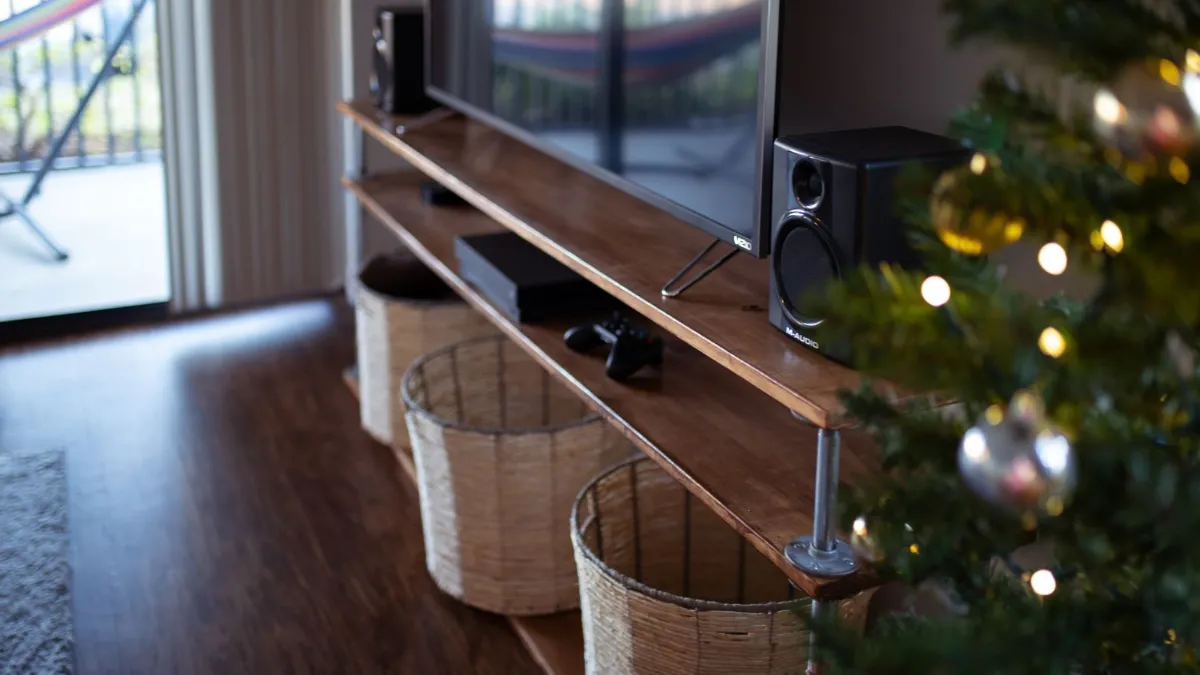
How Wide Should a TV Stand Be?
Start with the width of your TV, not the screen size on the box. A TV’s “65-inch” label measures the screen from corner to corner. The real width is smaller. One buying guide estimates that a 65-inch TV is about 57 inches wide, so a stand for it must be at least that wide.
The stand should be a little wider than the TV, so the screen doesn’t look like it’s falling off the edge. Advice on how much extra varies. 2 to 6 inches, and others suggest a bit more on each side. Treat this as a rule of thumb. What matters most is that the TV’s feet or mount sit fully on the top surface.
Check how the TV stands, too. Some TVs have feet at the far edges, and others have a single center pedestal. A TV with wide feet needs a stand that’s wide enough to catch both feet. Always read the measurements in your TV’s manual before you buy a stand.
How Much Weight Can a TV Stand Hold?
Every stand has a weight rating, and you’ll find it on the product page or the box. Compare it to the weight of your TV. Then add the things that sit on top of the stand or inside it, like a console, a soundbar and decorations.
One guide suggests the rating should be at least 1.5 times the weight of the TV plus its accessories. Say your TV weighs 50 pounds and you add about 10 pounds of gear. That points to a stand rated for around 90 pounds. This is a safety cushion, not an official rule, so always follow the stand maker’s own limit.
If you have small children, pay extra attention to stability. Heavy TVs on a narrow or top-heavy stand can tip. Many makers sell anti-tip straps, and some stands include them. Using one is a simple way to add safety for very little cost.
What Height Is Best for a TV Stand?
Height affects your neck and your eyes. The usual advice is to place the center of the screen near eye level when you’re sitting. A stand that’s too tall pushes the screen up, and you end up tilting your head back to watch.
Measure from the floor to your eyes while you sit on your sofa. Then subtract half the height of your TV to find the best height for the tabletop. This gives you a good starting point. Most living room stands are low, so they work well with regular couches. If you sit on a very low sofa or on the floor, you may need an even lower stand.
Bedrooms are different. If you watch from bed, your eyes sit higher, so a taller dresser-style stand can be a better fit. In that case, measure from the mattress top instead of the floor.
Types of TV Stands
Stands come in several shapes, and each one solves a different problem. Here’s how the main types compare.
| Type | Best for | Storage | Watch out for |
|---|---|---|---|
| Open-shelf stand | Small rooms and gear you use often | Open shelves | Dust and visible cables |
| Cabinet or media console | Hiding clutter | Doors and drawers | Remote signals can be blocked by doors |
| Corner stand | Tight rooms | Usually limited | Smaller top surface |
| Floating wall unit | Modern, clean look | Low | Needs strong wall mounting |
| Stand with mount | Saving floor space | Varies | Check the TV’s weight and size limits |
| Entertainment center | Large rooms with lots of gear | High | Takes a lot of space |
If you have a lot of devices, a cabinet or entertainment center usually works best. If you only have a TV and a soundbar, an open-shelf stand keeps things simple and often costs less.
Storage and Cable Management
Think about what you’ll keep on the stand before you buy it. A game console, a cable box and a streaming box all give off heat. Closed doors can trap that heat, so look for a back panel with open slots or a cabinet with ventilation.
Cables are the other big issue. Look for holes or cutouts in the back panel, and check that they’re big enough for plugs, not just thin wires. Cable clips, raceways and hidden channels also make cords easier to tidy. Some people use a small power strip inside the stand so only one cord goes to the wall.
Also think about a soundbar. If you plan to put one in front of your TV, check that the TV’s screen sits high enough above the stand so the bar doesn’t block it. Measure the bar’s height and compare it to the space between the stand and the bottom of the screen.
Material and Build Quality
TV stands are usually made of solid wood, engineered wood, metal, glass or a mix. Solid wood is strong and lasts long, but it’s heavy and costs more. Engineered wood like MDF or particleboard is cheaper and comes in many finishes, though it can be damaged by water and doesn’t handle repeated moving well.
Metal frames look modern and carry weight well. Glass tops can look nice, but they show fingerprints and need extra care, especially with kids. Whatever the material, check the user reviews for words like “wobbly,” “sags” or “hard to assemble.” Those notes often tell you more than a product description.
What mistakes should you avoid?
A few common mistakes are worth avoiding: buying by screen size alone (the “55-inch” label doesn’t give the real width of the TV. Measure the actual TV and compare); ignoring the weight rating (a stand can look sturdy and still be rated for less than your TV and accessories); forgetting about ventilation (closed cabinets can trap heat from your console or cable box); skipping the room measurements (check the wall space, the walkway and the distance to the sofa. A stand that fits the TV can still crowd the room); not planning for the future (if you might buy a bigger TV next year, choose a stand with a little extra width and strength).
How to Set Up Your New TV Stand
Setting up a stand takes only a short time if you plan it. Follow these steps for a clean result.
- Clear a space and read the assembly guide before you open the hardware.
- Build the stand on a flat floor and tighten every screw at the end, not as you go.
- Place the stand where you’ll use it. Leave a few inches behind it for airflow and cords.
- Set the TV on the stand with the help of a second person. Make sure the feet sit fully on the top.
- Run the cables through the back holes, plug everything in and group the cords with clips.
- Add an anti-tip strap if one is included, especially in homes with children or pets.
Frequently Asked Questions
What size TV stand do I need for a 65-inch TV?
A 65-inch TV is about 57 inches wide, according to one buying guide, so the stand should be at least that wide. Many people choose a stand a few inches wider so the TV looks balanced. Check your TV’s manual for the exact width and foot spacing.
Should a TV stand be wider than the TV?
Yes, most of the time. A stand that’s a little wider looks better and gives the TV a safer base. The TV’s feet or mount must sit fully on the top, so a small amount of extra width helps.
How high should a TV stand be?
Aim for a height that puts the middle of the screen near your eye level when you’re seated. Measure from the floor to your eyes on the sofa, then subtract half the TV’s height. This gives you a good target for the top of the stand.
Can I put a TV stand in front of a window?
You can, but sunlight causes glare on the screen and can fade finishes over time. A spot with curtains or blinds is easier to live with. If the window is the only option, add light-blocking shades.
Do I need a TV stand if I mount my TV on the wall?
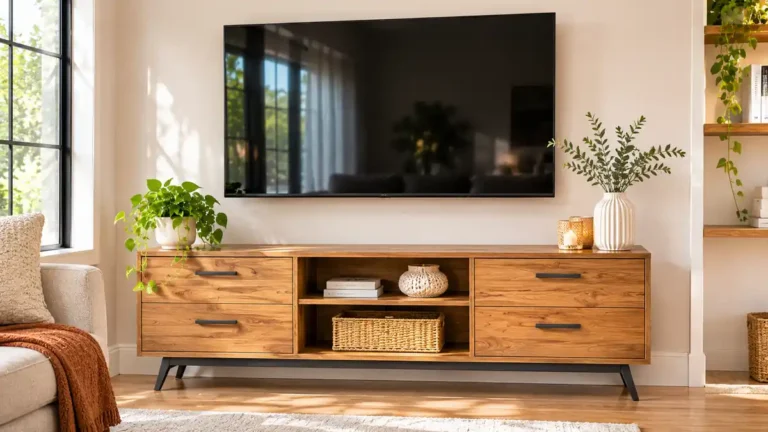
No, but many people still use a low console below the TV. It holds the soundbar and consoles, and it hides cables. A floating shelf can work too if you want something lighter.
How do I stop a TV stand from tipping?
Use the anti-tip strap that comes with many stands, choose a wide base and place heavy items low. Don’t put a TV on a stand that’s narrower than the TV’s feet.
Conclusion
The right TV stand matches your TV’s width, handles its weight with room to spare and puts the screen at a comfortable height. After that, pick the style that suits your gear and your room, from an open stand for simple setups to a cabinet for lots of devices.
Measure your TV, your space and your seat height before you shop. Check the weight rating, look for ventilation and cable holes and add an anti-tip strap if you have kids or pets. With those basics done, the style is the fun part.
Related guides
 Modern TV Stand Guide: Size, Height, Wall-Mount Options, Cable Management and Tip-Over SafetyQuick answer: a modern TV stand should be wider than your TV so the screen does not overhang, sit at a height…Read more →
 Corner TV Stand Guide: Sizes for 55 and 65 Inch TVs, Weight Capacity, Depth and Cable ManagementA corner TV stand turns an awkward empty corner into your entertainment center. It holds the TV, hides cables…Read more →
 Floating TV Stand: Mounting Height, Weight Capacity, Studs and CablesA floating TV stand hangs on the wall instead of standing on the floor. It leaves the floor clear, makes…Read more →
 Book Stand Guide: Cookbook Holders, Reading Stands, Materials, Angles and How to ChooseQuick answer: a book stand holds a book, cookbook or tablet upright at a readable angle. Choose bamboo or wood…Read more →



2 Comments