Modern TV Stand Guide: Size, Height, Wall-Mount Options, Cable Management and Tip-Over Safety
Quick answer: a modern TV stand should be wider than your TV so the screen does not overhang, sit at a height that puts the screen near seated eye level, offer cable cut-outs and airflow for your devices and be anchored against tip-overs. If you mount the TV on the wall, the stand becomes storage and style.
This article is part of our tv stand buying guide, where you can compare related options.
Modern TV stands have clean lines, slim legs, floating shelves and hidden cable routes. They look good, but the pretty ones can be too narrow, too high or too lightweight for a big TV. This guide explains how to size a modern TV stand, how to set the height, when to use a floating unit or wall mount, how to plan cables and ventilation and how to keep the setup safe. It overlaps with the TV console table guide, so this one focuses on modern styles and floating options.

What Makes a TV Stand “Modern”?
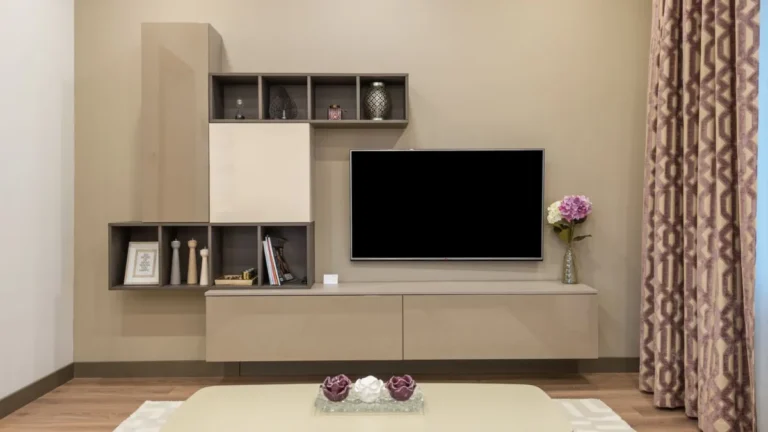
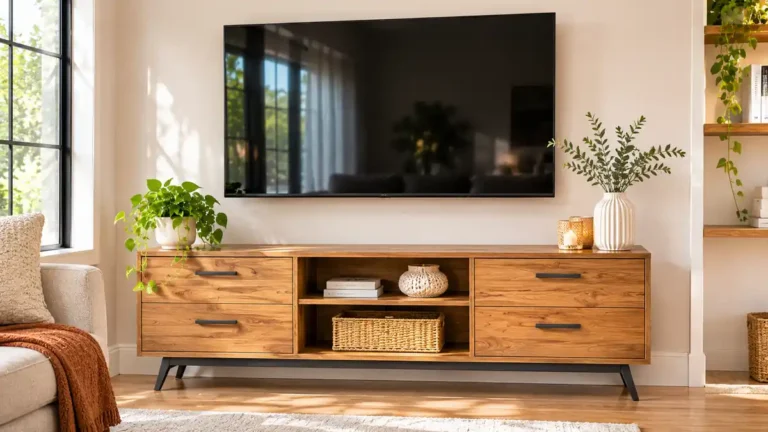
Modern stands usually have: clean, simple lines and flat panels; slim metal or tapered wood legs, or a floating wall-mounted base; handleless or push-to-open doors; mixed materials such as wood, metal, glass and matte lacquer; open shelves with hidden cable routing; neutral or bold colors such as walnut, white, black or gray; low profile that sits close to the floor.
Related styles include mid-century modern, Scandinavian, minimalist and industrial.
Width: Wider Than the TV
A guide says a TV that overhangs its stand is more likely to tip over, and advises choosing a stand bigger than your TV and placing it against a wall. Another source asks whether a stand can be smaller than the TV, but safety and looks both favor a wider stand. For width guidance, see the TV console table guide: about 20 to 30 centimeters wider than the actual TV width is one rule, and you should measure the TV, not the diagonal.
Note that some TVs have feet at the edges and others a central pedestal. Check the TV’s foot spacing against the stand’s top surface.
Height
I found no single formula. Approaches from the sources: Start from seated eye height, and subtract a second measurement (half the TV’s height) to find where the bottom of the TV should be. If you mount the TV on the wall, the mount sets the height, and the stand becomes storage or decoration.
Test it: sit on your sofa, look straight ahead and see where the center of the screen would be. Aim for it to be near eye level. A low modern stand is often a good fit for a living room with a sofa that sits low.
Floating TV Stands and Wall Mounts
A floating TV stand mounts to the wall, leaving the floor visible. It looks light and makes cleaning easier. Povison publishes a floating stand size guide for 55 to 100 inch TVs with a mounting height chart. Considerations: Wall strength. Mount into studs with hardware rated for the load. Weight capacity. Check the unit’s rating for the TV and devices. Cable routing. Floating units work well with in-wall cable kits (follow local code). Height. You set it, so measure first.
If you mount the TV on the wall, you can use a shorter, wider media console or floating cabinet below. See the accent cabinet guide for similar pieces.
Storage Options
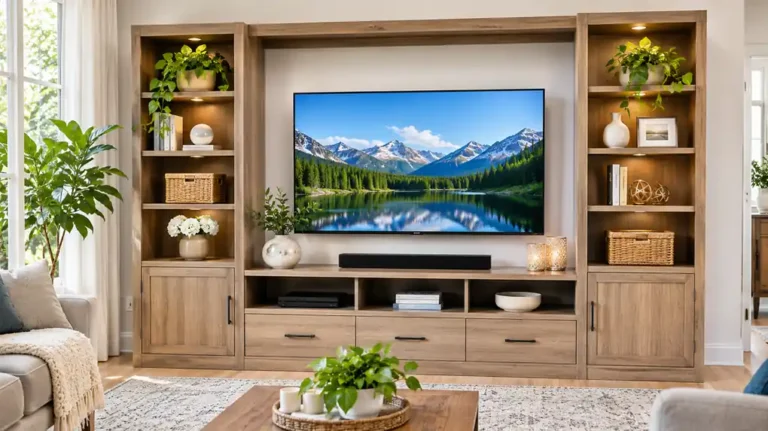
Key points: open shelves for streaming boxes and soundbars. Remote signals pass easily; closed cabinets to hide clutter. Check that remotes work through the doors; drawers for controllers and cables; glass doors that let signals through; tall side towers for books and decor; fireplace-style stands.
Leave a few inches around devices for airflow. A source notes a cramped, unventilated cabinet can shorten electronics’ lifespans.
Cable Management
Cable grommets and holes in the back panel. Removable back panels for easy access and ventilation. Hidden channels or compartments. Cable sleeves and clips for visible runs. In-wall routing for wall-mounted TVs, using a plastic trunking or an in-wall kit. Follow local code and use rated products. Consider a licensed electrician. Power strip with surge protection.
Label cables. Keep power cords away from children and pets.
Materials
Key points: solid wood and veneer. Warm and sturdy. See the solid wood dresser guide; MDF and particleboard. Affordable, check the weight rating; metal. Slim and strong; glass. Looks modern, shows fingerprints, needs care around children; matte finishes hide dust better than gloss.
Check the weight capacity of the top surface and of shelves.
Safety: Tip-Over Prevention
Tip-overs are a serious risk, especially for children. This is general safety guidance, and the search’s cited injury statistic is unverified, so I leave it out.
Choose a stand wider than the TV. Place the stand against the wall. Use anti-tip straps for the TV and anchor the stand. A source says cabinets may include wall-anchoring hardware, or you can buy a separate anti-tip strap kit. For homes with kids or pets, one retailer recommends anti-tip kits or stands with extra stability features. Keep remotes and toys off the top. Do not let children climb on the stand. Do not put a heavy TV on furniture not rated for it.
See the tall dresser and kids dresser guides for general anchoring principles.
Placement
Key points: place the stand on the wall that has a good view and few windows facing the screen; avoid glare; keep it away from heaters; leave space for cables to the outlet; center it on the seating area; for small rooms, choose a narrow or corner stand.
Styling
Key points: add a plant, lamp or books on one side; use baskets to hide small items; keep the top uncluttered; pair with a modern rug and accent chair. See the swivel accent chair guide; add art or shelves above if the TV is not wall-mounted.
What are the main strengths and weaknesses?
On the plus side: sleek look; many cable and storage options; floating types free the floor; works with most TVs. On the downside: slim legs may be less stable; some are lightweight; glass shows fingerprints; floating units need strong walls.
How to Choose a Modern TV Stand
Measure your TV width and foot spacing. Choose a stand wider than the TV. Decide: floor, floating or wall-mount. Set the height from seated eye level. Plan storage and ventilation. Check cable features. Check weight ratings. Plan anchoring. Choose a finish and style. Read reviews for stability.
What mistakes should you avoid?
A few common mistakes are worth avoiding: choosing a stand narrower than the TV; putting the TV too high; ignoring ventilation; skipping the anti-tip kit; forgetting the TV’s feet spacing; mounting a floating unit without studs.
Frequently Asked Questions
How wide should a modern TV stand be?
Wider than the TV. A guide warns that overhanging TVs are more likely to tip.
How high should a TV stand be?
Aim for the screen center near seated eye level. No single formula exists.
Do I need to anchor a TV stand?
Yes, especially with kids or pets. Use the maker’s hardware or an anti-tip kit.
Are floating TV stands good?
They look light and free the floor, but need strong wall mounting.
How do I hide TV cables?
Use cut-outs, channels, sleeves or in-wall routing that meets local code.
Can a TV be bigger than the stand?
It is not recommended. Overhang raises tip-over risk.
Conclusion
A modern TV stand should be wider than your TV, set at a comfortable height, vented for your devices and anchored against tip-overs. Floating designs look great if your walls can support them.
Measure your TV, plan your cables and choose a finish you love. A safe, tidy setup lets you enjoy movie night.
Related guides
 TV Stand: How to Choose the Right Size, Style and StorageA TV stand does more than hold up your screen. It decides how your living room looks, where your cables go and…Read more →
 Corner TV Stand Guide: Sizes for 55 and 65 Inch TVs, Weight Capacity, Depth and Cable ManagementA corner TV stand turns an awkward empty corner into your entertainment center. It holds the TV, hides cables…Read more →
 Floating TV Stand: Mounting Height, Weight Capacity, Studs and CablesA floating TV stand hangs on the wall instead of standing on the floor. It leaves the floor clear, makes…Read more →
 Book Stand Guide: Cookbook Holders, Reading Stands, Materials, Angles and How to ChooseQuick answer: a book stand holds a book, cookbook or tablet upright at a readable angle. Choose bamboo or wood…Read more →