
TV Console Table Guide: Width, Height, Viewing Distance, Cable Management and Safe Placement
Quick answer: a TV console table should be wider than the TV itself, ideally about 20 to 30 centimeters (8 to 12 inches) wider than the television’s actual width. Measure the TV, not the advertised diagonal. Choose a height that puts the screen center near eye level when you sit, and plan cable access and wall or furniture anchoring.
This article is part of our tv stand buying guide, where you can compare related options.
A TV console table, or media console, holds the TV, streaming boxes, game consoles and a pile of cables. A good one looks balanced under the screen, gives you storage and keeps the viewing height comfortable. A bad one leaves the TV hanging off the sides, hides remote signals or puts the screen too high. This guide explains how to size a console by TV width, how to find a good viewing distance, how to set height, how to plan storage and cables, what materials to look for, where to place it safely and how to choose.
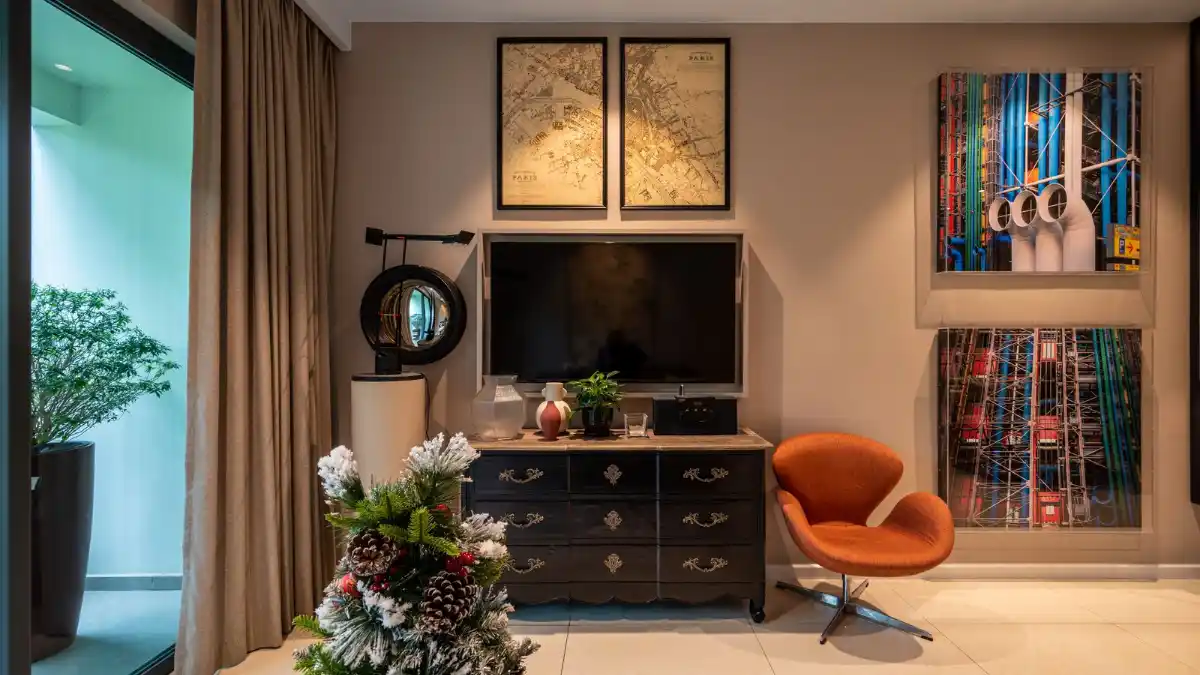
Measure the TV First
The advertised screen size is the diagonal and not the physical width. Measure the actual TV width from edge to edge, including the bezel. Also check: The stand footprint if the TV uses feet. Some feet sit near the edges or in the center. The TV height with the stand. The depth of the TV and any wall mount.
How Wide Should the Console Be?
The console should be wider than the TV.
One guide says the console should be at least 20 to 30 centimeters wider than the actual physical width of the TV. Another gives a 55-inch TV (about 122 centimeters wide) a console width of 150 to 180 centimeters. A third notes you should measure the TV itself, not the advertised diagonal.
| TV size (diagonal) | Approximate TV width | Suggested console width |
|---|---|---|
| 55 inches | About 122 cm (48 inches) | 150 to 180 cm (59 to 71 inches) |
The 55-inch row comes from a source. For other sizes, measure your TV and add 20 to 30 centimeters. A console that is much wider also looks fine if it fits the wall and you want more storage.
Viewing Distance
Sources conflict.
One suggests a viewing distance that is double the TV size for comfortable viewing. Another divides the diagonal screen size by 0.84 to get the ideal distance in inches, so a 65-inch TV works out to about 77 inches.
The second rule is more specific, but neither is a universal standard. One guide suggests the order of decisions: viewing distance, then screen size, then actual TV width, then console fit. Try sitting at your normal spot and see how the screen feels.
Height
The center of the screen should sit near eye level when seated, and that the best height depends on the TV’s size and your seating distance. A common issue is a TV that is too high, which strains the neck.
How to check:
- Sit on your sofa in your normal posture.
- Measure from the floor to your eye level.
- Subtract half the TV’s height. That tells you roughly where the bottom of the TV should be.
- Choose a console height that gets you close.
A low console suits a wall-mounted TV that you hang at the right height. A taller console may suit a smaller TV.
Wall-Mount or Console Top?
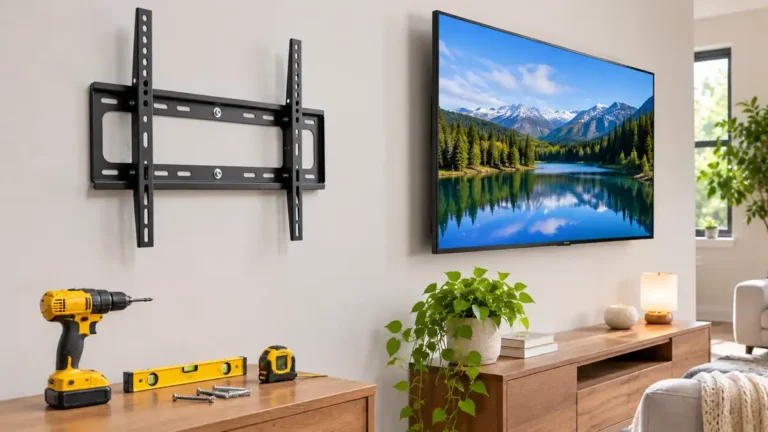
On the console. Easy, no drilling. Use the TV’s feet or a stand. Check the weight rating. Wall-mounted above the console. Saves space and lets you choose the height. Use a mount rated for the TV’s weight and screw into studs. Hide cables in a cable cover or in-wall kit. Follow local code for in-wall cable.
If the TV is wall-mounted, the console can be shorter and wider, and it becomes a storage and media shelf.
Storage Types
Open shelves. Good for streaming boxes and soundbars. Remote signals pass easily. Cabinet doors. Hide clutter. Check that remote signals reach through glass or slatted doors. Drawers. For game controllers and cables. Combination. A mix of open shelves and doors. Floating console. Wall-mounted for a modern look.
Check the shelf opening height for your devices and airflow. Electronics produce heat, so leave ventilation space.
Cable Management
Key points: look for back cut-outs or cable holes; use cable ties and sleeves; use a power strip with surge protection; leave a few inches behind the console to the wall; label cables; keep cords away from pets and children.
Materials and Finish
Solid wood. Sturdy, heavy, long-lasting. See the solid wood dresser guide for how to spot real wood. Veneer over plywood. Good value. MDF and particleboard. Affordable but check the weight rating and avoid damp. Metal frames and glass. Modern. Glass shows fingerprints. Finish. Matte hides dust better than gloss.
Safety: Tip-Over
TVs can tip off furniture, and falling TVs injure children. This is general safety guidance, not from the search sources.
Choose a console wide and stable enough for the TV. Anchor the TV to the wall or to the console with straps, following the TV maker’s instructions. Anchor tall or narrow consoles to a wall stud. Don’t place a TV on a dresser meant for clothes unless the dresser is rated for it. See the kids dresser and tall dresser guides. Keep remotes and tempting items off the top. Check the TV’s weight against the console’s rating.
Placement
Key points: place the console on a wall without glare from windows; keep it near outlets and the cable connection; leave walking space around it; avoid placing it above a radiator or heater; consider a corner unit for small rooms; center it on the wall or on the seating area.
For small rooms, a narrow console or a wall-mounted TV with a floating shelf below saves floor space. See the small bedroom ideas guide for similar tricks.
Styling
Key points: add a plant or lamp on one side; use baskets to hide small items; add a rug under the seating area; hang art or shelves beside the TV; keep the top clear of too many items; pair with an accent chair. See the swivel accent chair guide.
What are the main strengths and weaknesses?
On the plus side: organized media storage; defines the entertainment zone; hides cables; many sizes and styles. On the downside: takes floor space; can block outlets; cheap models can sag; needs anchoring for safety.
How to Choose a TV Console Table
Measure the TV width, not just the diagonal. Add 20 to 30 centimeters for console width. Check the viewing distance and eye level. Choose the height for comfort. Decide: wall-mount or console top? Plan storage and ventilation. Plan cables. Check weight rating. Plan anchoring of the TV and console. Match your style.
What mistakes should you avoid?
A few common mistakes are worth avoiding: measuring the diagonal instead of the width; choosing a console narrower than the TV; placing the TV too high; skipping ventilation for devices; ignoring cable access; not anchoring the TV.
Frequently Asked Questions
How wide should a TV console be?
About 20 to 30 centimeters wider than the TV’s actual width.
What size console for a 55-inch TV?
One source suggests 150 to 180 centimeters wide.
How high should a TV console be?
High enough that the screen center is near seated eye level.
What is the best viewing distance?
Rules conflict. One suggests twice the diagonal. Another divides the diagonal by 0.84. Try your own seat.
Should the TV be wall-mounted?
It saves space and lets you set the height, but use the right mount and studs.
Do I need to anchor my TV?
Yes. Follow the TV maker’s instructions to prevent tip-over.
Conclusion
A good TV console table is wider than the TV, sits at a comfortable height, manages cables and stands securely. Measure the actual TV width, decide your viewing distance and plan for cables and ventilation.
Anchor the TV, check weight ratings and choose a finish you like. Then your living room media area will look neat and work well.
Related guides
 TV Cabinet Guide: Sizing to Your TV, Cable Management, Ventilation, Doors and HeightA TV cabinet holds your TV, hides your gear and sets the tone for the living room. A good one fits your…Read more →
 TV Trays Guide: Folding Tables, Sizes, Materials, Stability and StorageTV trays are small, foldable tables that let you eat dinner on the couch, hold a laptop, put down a drink or…Read more →
 Media Console Guide: Size for Your TV, Depth, Storage, Cables and VentilationA media console is the low cabinet that sits under your TV. It holds your streaming box, game console, soundbar…Read more →
 Console Table: Size, Height, Styling and Where to Use OneA console table is one of the most useful pieces of furniture in a home. It s slim enough to fit in tight…Read more →


One Comment