How to Mount a TV on the Wall: Studs, VESA, Height and Cable Tips
Mounting a TV on the wall frees up floor space and gives your room a clean look. It also adds risk if it’s done badly. A TV that falls can hurt someone and break the screen. The good news is that most people can do it safely with the right mount and a little care.
This article is part of our tv stand buying guide, where you can compare related options.
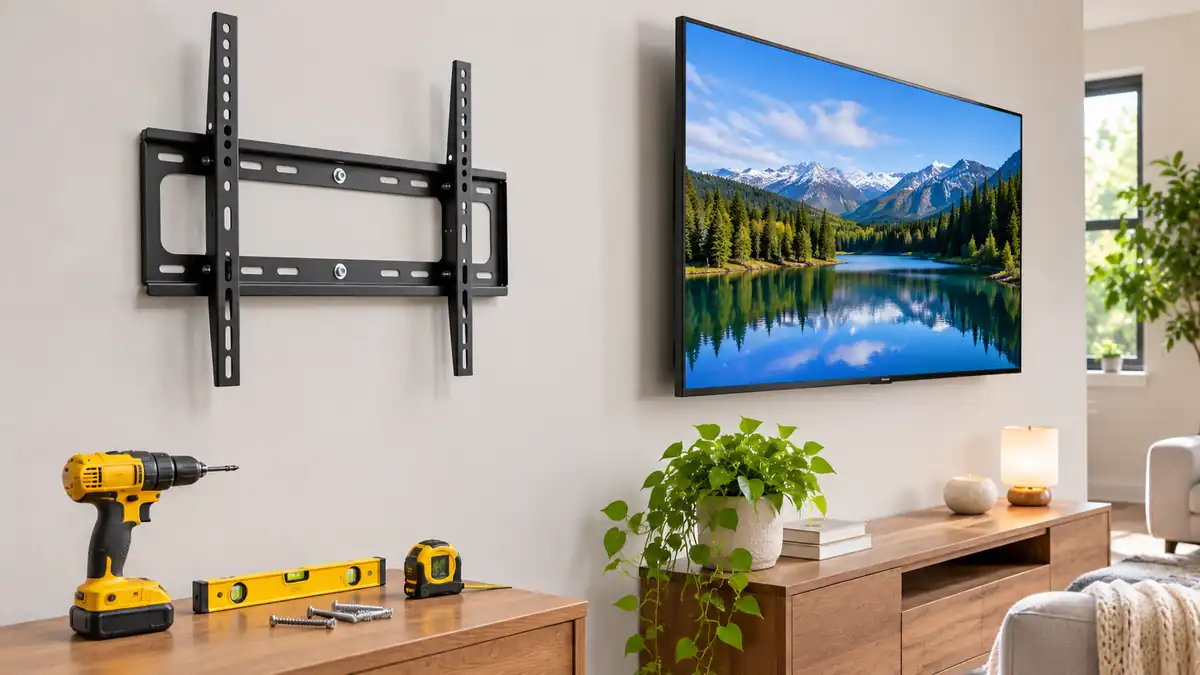
To mount a TV on the wall, pick a mount that matches your TV’s VESA pattern and weight, find the wall studs, attach the mount bracket to the studs with the right bolts, attach the plate to the TV and hang the TV on the bracket. Check that it’s level and secure.
This guide covers choosing a mount, finding studs, the tools you need, step-by-step installation, setting the height and hiding cables. You’ll also find a comparison table and answers to common questions. If you’re unsure, hire a professional.
Step 1: Check Your TV and Mount
VESA is the standard pattern of screw holes on the back of the TV. Find it in your TV’s manual, or measure the distance between the mounting holes, because your mount must support that pattern. The mount must also be rated for your TV’s weight, which you can check in the manual. Then choose a mount type:
| Mount | What it does | Best for | Watch out for |
|---|---|---|---|
| Fixed | Holds the TV flat to the wall | Clean, low-profile look | No adjustment |
| Tilting | Angles the TV down | TVs mounted high | Limited movement |
| Full-motion (articulating) | Swivels, tilts and extends | Corners, multiple seating spots | Puts more force on the wall |
Full-motion mounts create large leverage forces, so one source warns never to mount one to a single stud or to drywall alone without heavy-duty toggles. Use the hardware that comes in the mount’s kit.
Step 2: Find the Studs
A stud is a vertical frame member behind the wall. It’s the strongest place to attach a mount. A single stud can work for a smaller TV, but for a large or heavy screen, the mount should go into at least two studs. For a small to medium TV that doesn’t span two studs, attach to one stud and secure the other side with a heavy-duty hollow-wall anchor or toggle bolts.
Don’t rely on drywall anchors alone, as they may not provide enough support.
To find studs:
- Use a stud finder and scan across the wall.
- Mark the edges of each stud with a pencil.
- Studs are often spaced 16 inches apart, but not always.
- Check for pipes and wires, which often run near outlets and switches. A stud finder with wire detection helps.
If the studs don’t line up with the mount, one guide suggests installing a 3/4-inch plywood board across two studs and screwing the mount into that.
Step 3: Choose the Height
A common guide is to place the center of the screen at eye level when you’re seated. For most living rooms, this means mounting lower than you might expect. Sit on your couch, note where your eyes are, and mark that height on the wall. Subtract half the TV’s height to find where the top of the mount will go.
Above a fireplace, the TV will be higher, so a tilting mount helps reduce neck strain. Avoid mounting above a source of heat.
Tools You Need
Gather a stud finder, a pencil, a level, a drill with bits, a socket wrench or screwdriver, a tape measure and painter’s tape. You also need the mount with its hardware and, just as important, a helper to hold the TV.
Step 4: Install the Mount
Follow the instructions that come with your mount, since designs differ. In general:
- Attach the plate to the TV. Remove the TV’s stand if needed. Use the screws and spacers from the kit, matched to your VESA pattern. Don’t overtighten.
- Mark the wall. Hold the wall bracket where you want it. Use a level and mark the holes over the studs.
- Drill pilot holes. One guide advises drilling a hole slightly smaller than the lag bolt. This prevents the stud from splitting.
- Attach the bracket. Fasten it with lag bolts into the studs. Tighten them securely, but don’t overtighten, since that can strip the threads or damage the wall.
- Check level. Adjust before the final tightening.
- Hang the TV. With a helper, lift the TV and hook the plate onto the bracket.
- Secure the TV. Most mounts have a locking screw or latch. Use it.
- Test. Gently pull on the TV to check that it’s firmly attached.
Step 5: Hide the Cables
Cable management is mainly about tidiness and avoiding tripping hazards.
Raceways or cable covers run along the wall and can be painted to match. Cable ties and clips bundle cords together, and wireless streaming devices and speakers cut down on cords. Some in-wall kits route low-voltage cables inside the wall, but running power inside the wall needs to follow local code. I did not find solid guidance on in-wall power outlets, so check your local electrical code or hire an electrician.
Plan the location of your devices. A soundbar, streaming box and game console need power and ventilation. A shelf below the TV can hold them.
Safety Tips
Use only the hardware designed for your mount and wall type, and make sure the mount is rated for the TV’s weight. Never exceed the maximum weight or size, and don’t mount on drywall alone. Keep children and pets away while you work, and have a second person help lift the TV. Check the mount every few months. If your wall is brick, concrete or plaster, use hardware made for that material.
What mistakes should you avoid?
The most serious mistake is mounting into drywall only, which can fail. Skipping the VESA check is another, because the mount may not fit the TV. Mounting too high strains your neck, and not leveling leaves a crooked TV that is hard to fix later. Overtightening bolts can strip the threads, and forgetting a cable plan leaves cords dangling below the screen.
Frequently Asked Questions
Do I need to mount a TV into studs?
For large or heavy TVs, yes. Mount into at least two studs. Don’t rely on drywall anchors alone.
What is VESA?
A standard pattern of mounting holes on the back of the TV. Your mount must match it.
How high should I mount my TV?
Place the center of the screen at eye level when you’re seated. For most rooms, that’s lower than people expect.
Can I mount a TV on drywall without studs?
Against relying on drywall anchors alone. If the studs don’t line up, use a plywood board across two studs.
How do I hide TV cables?
Use raceways, paintable covers, cable ties or wireless devices. In-wall routing needs to follow electrical code.
Should I hire a professional?
If you aren’t confident, your wall is tricky or the TV is very large, yes. A pro can do it safely.
Conclusion
Mounting a TV on the wall is a manageable job when you choose the right mount, find the studs and use the proper bolts. Check VESA and weight first, set the height for comfortable viewing and plan how to hide cables.
Take your time, use a helper and test the mount before you let go. If anything seems unsafe, call a professional.
Related guides
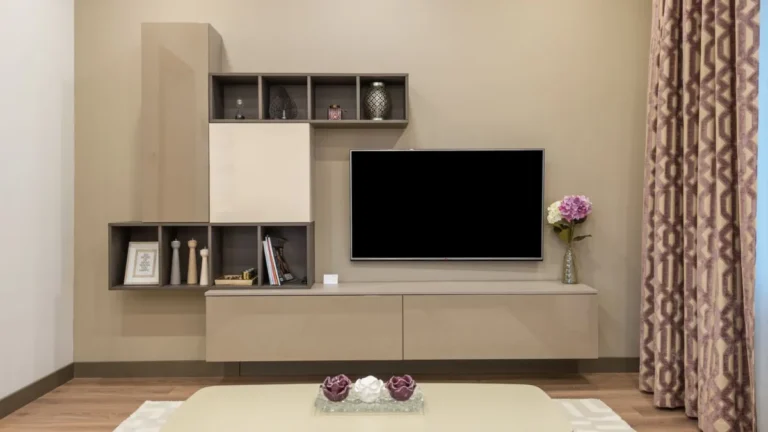 TV Cabinet Guide: Sizing to Your TV, Cable Management, Ventilation, Doors and HeightA TV cabinet holds your TV, hides your gear and sets the tone for the living room. A good one fits your…Read more →
 TV Trays Guide: Folding Tables, Sizes, Materials, Stability and StorageTV trays are small, foldable tables that let you eat dinner on the couch, hold a laptop, put down a drink or…Read more →
 Small TV Guide: Best Sizes (24 to 32 Inch), Viewing Distance and ResolutionNot every TV needs to be a giant screen. A small TV fits in a bedroom, a kitchen, a dorm room, a home office or anRead more →
 Wall Shelf: Types, Anchors, Weight Capacity and Installation TipsA wall shelf is one of the easiest ways to add storage and style. It holds books, plants, photos and everyday…Read more →